Build with clear boundaries.
Protect an agent on your machine. Bring its decisions into view. Turn your team’s runtime activity into evidence you can explain.
Understand the system.
AgentShield checks shell commands and MCP tool calls locally. AI Agent Lens brings decisions together across your fleet and connects them to compliance controls.
Explore the architecture ↗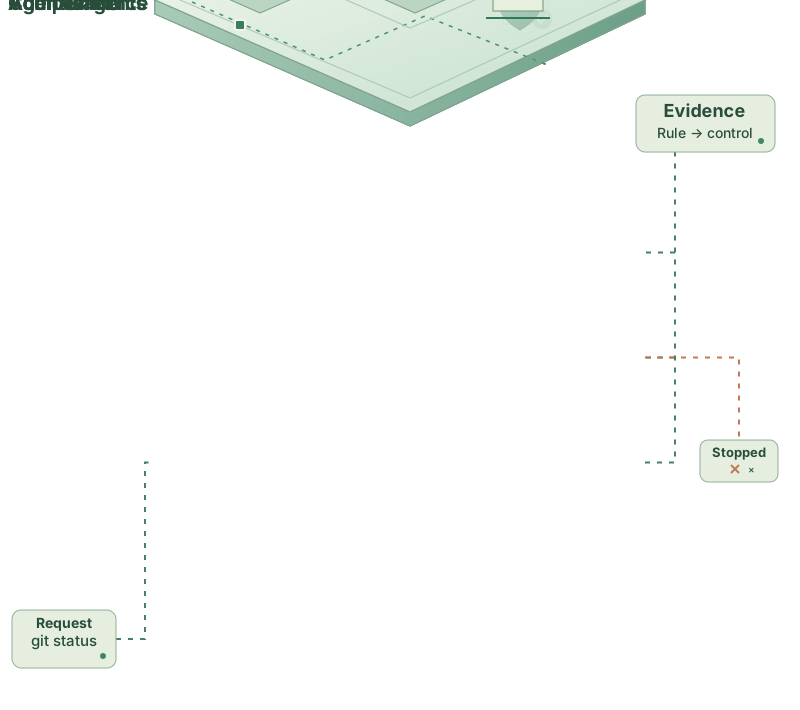
Find your starting point
Install AgentShield, register your agent’s hook, and evaluate a command without executing it.
02 / CONNECTBring your team into view ↗Connect machines, share policy, and follow runtime decisions in one audit trail.
03 / CUSTOMIZEDefine your boundaries ↗Understand rule packs and write policies for your own environment.
04 / INTEGRATEBuild on the API ↗Connect your workflows to the platform’s authenticated endpoints.
From a tool call to a clear record
- An agent requests an action. A shell command or MCP tool call reaches AgentShield through a supported hook or proxy.
- Local policy evaluates the request. AgentShield returns allow, audit, or block. Evaluation runs on the machine, without a model call.
- Your team sees the decision. Connected machines send their runtime decisions to the platform’s shared, hash-chained audit trail.
- Activity becomes evidence. Rule mappings connect decisions to compliance controls so your team can inspect and export the record.
New installs start in audit-only mode. Review what your policy would block before enabling enforcement. Understand enforcement modes.
Use the agents you already have
Supported integrations include Claude Code, Cursor, Windsurf, Codex CLI, Gemini CLI, and OpenClaw. MCP mediation is available through the proxy; coverage varies by integration. See the agent integration guide for the supported paths.
For production agents and custom workflows, start with MCP mediation or agents in CI.